
Fab NBAD Balance Check
Here is a complete procedure to check your FAB (First Abu Dhabi Bank) and NBAD (National Bank of Abu Dhabi) balance. Since NBAD is now a part of FAB, the process is almost the same for both banks.
Procedure for Checking FAB and NBAD Balance: The
1. Using the FAB Mobile App
To check your balance via the FAB Mobile App:
Download the app:
If you haven’t already, download the FAB Mobile App from the App Store (for iOS) or Google Play (for Android).
Login:
Open the app and log in using your username and password or biometric authentication (fingerprint/face recognition).
Check Balance:
Once logged in, your account balance will be displayed on the home screen or under the Accounts tab.
Account Details:
To view more detailed information, select the account from the list to see the current balance, recent transactions, and more.
2. Using FAB Online Banking (Web Portal)
To check your balance via FAB’s Online Banking:
Visit the FAB Website:
Open your browser and go to the official FAB Online Banking Portal: https://www.bankfab.com.
Log in to Your Account:
Enter your username and password on the login page to access your account.
Check Your Balance:
When you sign in, your balance and recent transactions will be shown on your account summary page.
Additional Details:
Account Information and Statements section provides more details and an extensive account history.
3. Using FAB ATM
You may check your balance at any ATM that belongs to FAB:
Visit a FAB ATM:
Go to the nearest FAB ATM.
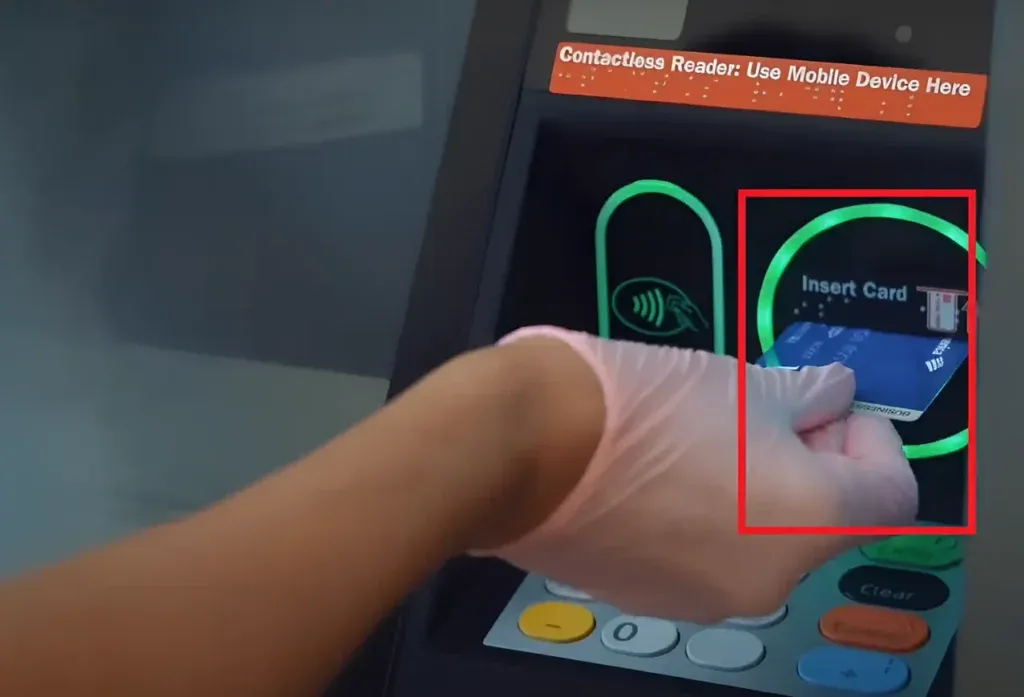
Insert Your Debit/Credit Card:
Insert your debit or credit FAB card in the ATM.
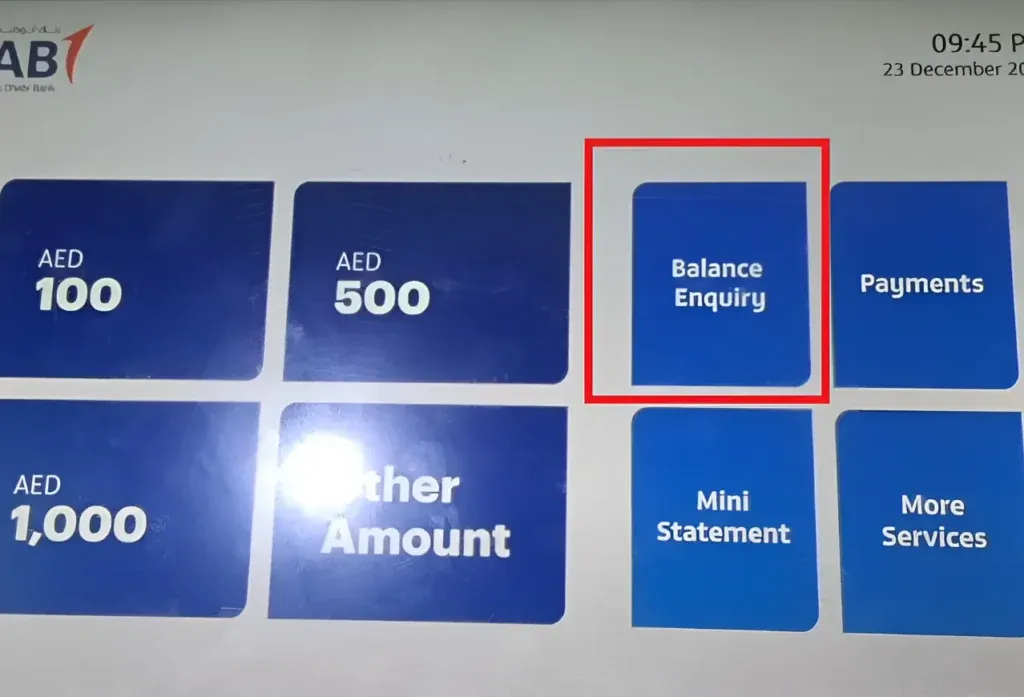
Select the Balance Inquiry Option:
Select Balance Inquiry on the ATM screen.
View Your Balance:
Your balance will be shown on the screen. If preferred, you may print a receipt containing the balance details.
4. Using USSD Code for Balance Inquiry
FAB has a USSD code that allows you to check your balance easily. To check your balance:
Dial the USSD Code:
On your mobile phone, dial *111#.
Select Balance Inquiry:
Select the Balance Inquiry option, and follow the prompts.
View Your Balance:
An SMS with your account balance will be sent to you.
5. Using FAB Chatbot (FAB’s Virtual Assistant)
FAB Chatbot is available for basic banking questions.
FAB Website or App:
Locate the FAB Chatbot on the FAB website or Mobile App.
Start a conversation:
Select the option for balance inquiries to begin the conversation.
Balances:
You will either be provided with current balance information or steered to the appropriate service.
6. Using NBAD’s Online Banking and ATM (Old Accounts)
With NBAD accounts now moved to FAB, the balance checking procedure for older NBAD accounts remains unchanged via the FAB channels.
NBAD Mobile App is now integrated with the FAB Mobile App. Use balance checking instructions for the FAB Mobile App.
If you are a previous NBAD ATM user, you can now access your funds at FAB ATMs, and the same balance checking instructions above apply.
Summary of Methods:
FAB Mobile App: The quickest and most convenient way to check your balance.
Online Banking: The most secure way to check your balance with additional details.
ATM: FAB ATMs available for balance inquiries.
USSD Code: The most basic way to check your balance without the need for internet is available at: Dial *111#.
FAB Chatbot: The quickest way to check your balance using a virtual assistant.
Every method listed offers a rapid and safe means of tracking your account balance. Which is the most convenient for you?